01 / CODERUNNERNO ACCOUNT. RUNS IN YOUR BROWSER.

Write React in a browser tab and watch it run.

For developers, teachers and anyone testing an idea on a laptop or an iPad. There is no account and nothing to install. Once it has loaded it keeps working with the Wi-Fi off, and your code stays in your browser.

Try CodeRunnerSee what it does
ACCOUNTS TO MAKE
0
THINGS TO INSTALL
0
TO REFRESH THE PREVIEW
~0.5 s
STILL RUNS AFTER FIRST LOAD
Wi-Fi off
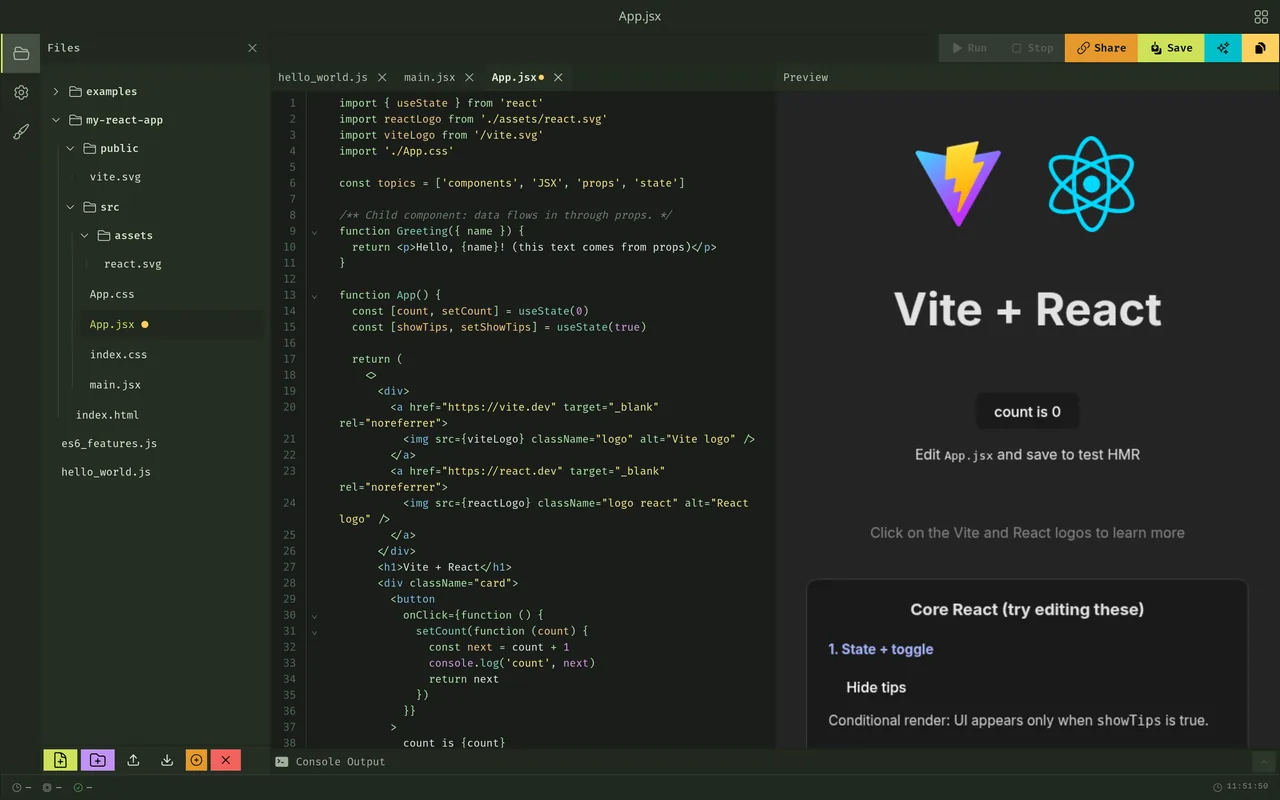
CodeRunner with a React project open: App.jsx in the editor, the live preview of the app beside it, and console output below.

02 / WHAT IT DOES

What CodeRunner does

Everything below happens in one browser tab.
Your code stays there until you share it or download it.

The React app updates beside the editor as you type

The preview sits next to your code and refreshes in about half a second. JSX compiles right in the browser, so there is no npm install and no build server to wait for.

Read more

After the first load it still works with the Wi-Fi off.
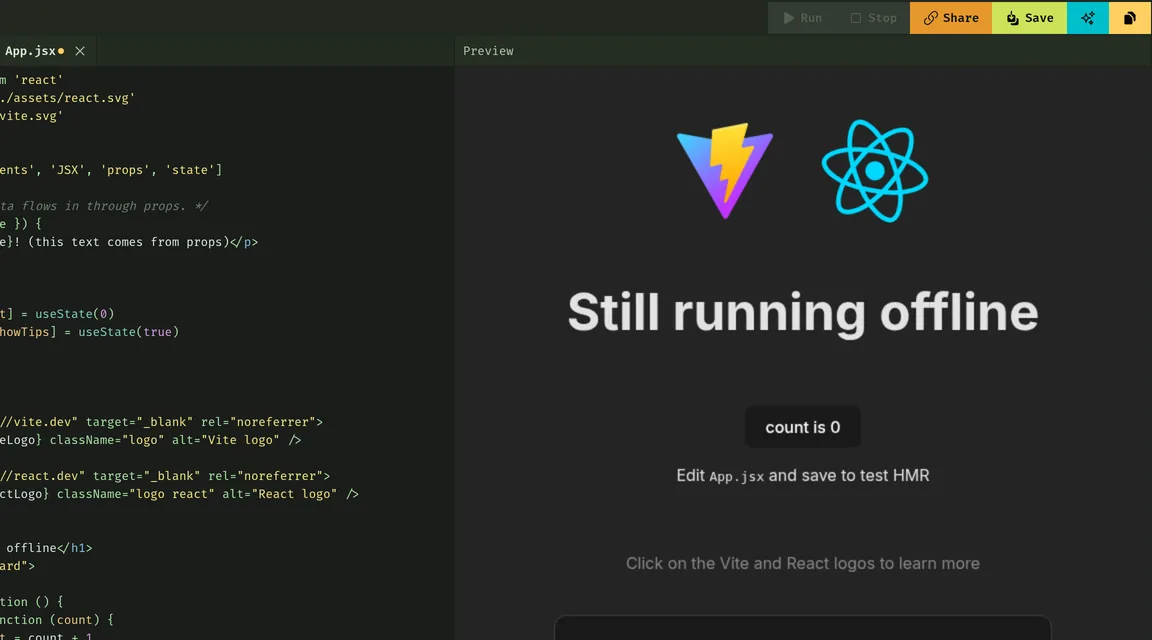
CodeRunner with the network turned off. The heading in App.jsx now reads Still running offline, and the preview beside it shows the new heading.

The editor helps. A chatbot doesn't.

The editor completes syntax as you type. When code breaks, the common errors explain what went wrong in plain words.

Read more

There is no AI in CodeRunner, and that is a choice.

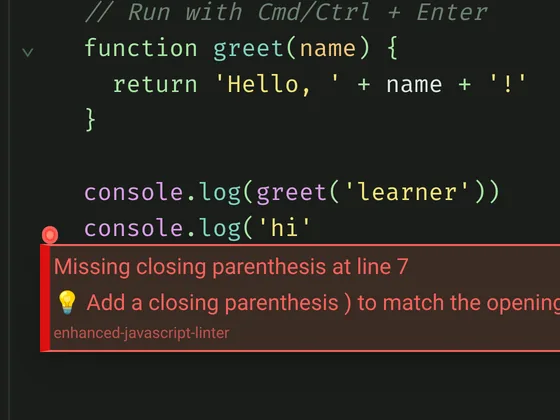
A console.log call missing its closing parenthesis, and the editor message: Missing closing parenthesis at line 7, with the hint to add a closing parenthesis to match the opening one.

Share code as a link, with no server in the middle

Pick a file, a folder or a whole React project and copy it as a link. The code travels inside the link, so nobody stores it for you.

Read more

Whoever opens it gets a temporary copy of their own and can save it to their files. Your version stays untouched. Projects too big for a URL get a clear message to download them instead.

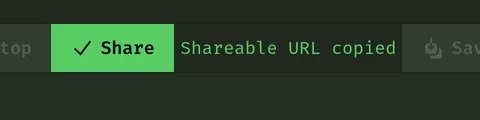
The CodeRunner toolbar just after pressing Share: the Share button is highlighted and the message beside it reads Shareable URL copied.

Files and folders, not one long pane

Split code across files and folders and import between them with ES modules. Open files sit in editor tabs.

Read more

You can rename, move, upload and download files, and the Examples folder shows a multi-file project with imports already wired up.

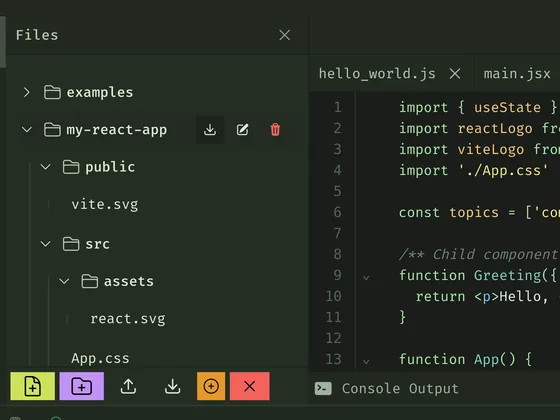
A project tree with folders, next to two files open in tabs, hello_world.js and main.jsx. The open file imports other files from the project.

You leave with a real project, not a snippet

Download Project gives you a ZIP of a Vite and React app with the usual src layout. Unzip it, run npm install and npm run dev, and you are in a normal project on your own machine.

Read more

The starter template is dark, and what you saw in the preview is what you get in the export.

unzip my-react-app.zipnpm installnpm run dev

03 / WHAT IT DOES NOT DO, ON PURPOSE

CodeRunner stays small so your code can stay with you.

  1. No accounts. You open it and start typing.
  2. No AI chat.
  3. No server holding your work. Projects live in your browser's storage, so clearing it clears them. Download anything you want to keep.
  4. Not a full Node.js setup or a package manager. It runs your own files and the React template, and anything bigger belongs in the project you download.
  5. Live pairing and short links are parked. Both need a server, and your code is meant to stay in your browser.

04 / START

Start in under a minute

  1. Open

    Go to coderunner.lab829.com. No sign-up. Install it as an app if you want it offline. On an iPad, add it from Safari's share menu.

  2. Write

    Open an example or create a React project, then write. The preview updates beside the editor.

  3. Share or download

    Copy a share link for someone else, or download the project as a Vite and React app and keep going on your machine.

CodeRunner with a React project open: the project tree, App.jsx in the editor, and the live preview of the app beside it.

05 / QUESTIONS

Questions

In your browser, on your device. Nothing is uploaded. If you clear the browser's data for the site, the code goes with it, so download anything you want to keep.

Get CodeRunner updates

Occasional emails when CodeRunner ships something new. No spam.

We only store your email address, use it only for CodeRunner and Lab829 updates, and never share it. Every email has an unsubscribe link, or reply to ask us to delete it.

06 / OPEN A TAB

Open a tab and write something.

No account, nothing to install, and your code stays on your device.

Try CodeRunner
07

Let's Connect


Building something for developers or learners? Let's talk.